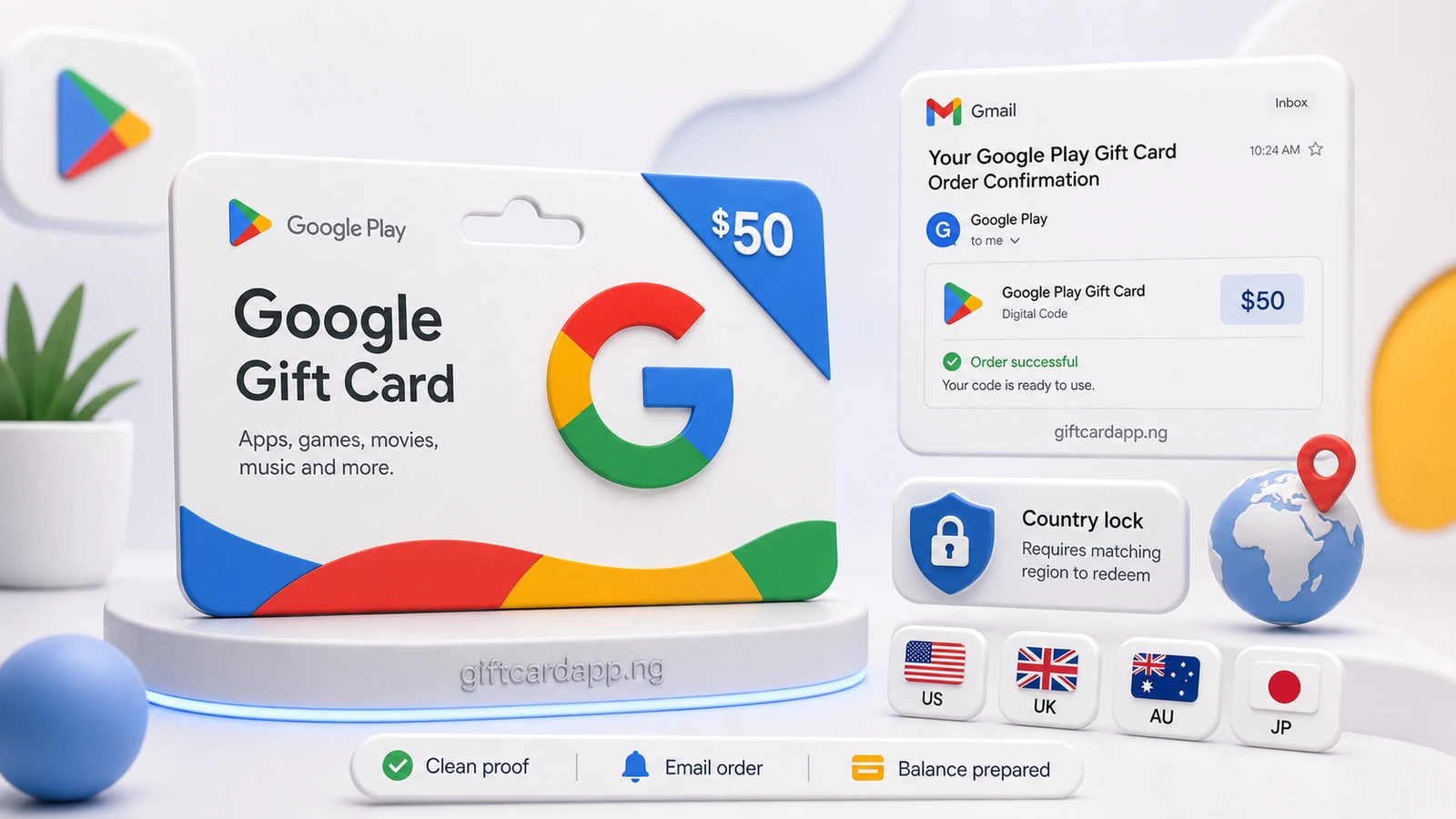
An eCode Gift Card arrives through an email, retailer account or order page rather than on a plastic card. For a Nigerian seller, useful first-stage proof should show the brand, value, currency, source and date while the redeemable code remains protected.
This guide is for digital delivery records. If you have a plastic card, use the physical Gift Card photo checklist. For the broader pre-trade workflow, start with how to prepare a Gift Card before selling.
What a useful eCode screenshot should show
The reviewer needs enough context to understand what the screenshot represents. A code-only image does not identify the retailer, marketplace, currency, value or purchase timeline. Start with the original delivery email, retailer order history or invoice page where available.
| Evidence area | Keep visible where available | Protect or remove from the sharing copy |
|---|---|---|
| Product | Gift Card brand, product name, value, currency and quantity | Redeemable claim code, PIN or activation link containing a live token |
| Source | Retailer or sender name, visible domain and order source | Account password, login code, recovery information or unrelated messages |
| Timeline | Order date, delivery date and completed or delivered status where shown | Unrelated account activity or another order’s details |
| Order context | Relevant order or invoice reference when requested | Home address, full payment information and unrelated purchased items |
A sender name or domain is context, not proof of authenticity by itself. Email display names can be copied and screenshots can be edited. The exact eCode, original account record and current verification result still need to be assessed through the applicable secure process.
Do not crop away the marketplace or currency
“Gift Card 100” is incomplete. It may refer to different currencies, storefronts or products. Keep the brand, retailer or marketplace, currency and value visible. Crop only after confirming that the remaining image still explains the complete order.
Use the original source instead of a forwarded image
A screenshot passed through several chats may be compressed, cropped or separated from its order context. When possible, reopen the retailer account, purchase email or invoice and create a fresh sharing copy. Keep the original email or order record unchanged in case more context is requested later.
How to prepare an eCode screenshot safely
- Open the original record. Use the delivery email, retailer account or order page rather than a screenshot of a forwarded screenshot.
- Confirm the exact product. Check the brand, marketplace or country, currency, denomination and number of codes.
- Capture enough context. Include the useful sender or retailer details, date, product line, value and order status where available.
- Make a protected copy. Keep the untouched original, then cover sensitive fields on a separate copy with a fully opaque block.
- Check every edge. Make sure the redeemable code is not visible in a preview, thumbnail, quoted email, attachment name or another part of the screenshot.
- Review readability. Zoom in and confirm that the useful text remains sharp after redaction.
- Describe the eCode in words. State the brand, country or marketplace, currency, value, format and proof source without pasting the live code.
- Submit only through the official process. Do not send a live code to an unknown buyer or public group.
See which Gift Card details to hide before review for a broader privacy checklist.
Capture readable proof on phones and computers
On a phone
Expand the message or order details enough to show the useful source and date. Use the device’s normal screenshot function, then check the full-resolution image. If a long page needs more than one screenshot, keep the sequence clear and avoid cutting a product line between images.
On a computer
Increase the page zoom until the relevant text is readable, but keep the retailer or email context in frame. Capture the relevant window rather than the entire desktop so unrelated tabs, notifications and personal files are not included.
When a messaging app compresses the image
Open the sent copy and check the small text yourself. If it became blurry, use the platform’s file or document option when available, or create a new higher-resolution screenshot. File quality can affect readability; it does not determine whether the eCode is valid.
Organise several eCodes without mixing proof
Keep one record for each eCode or clearly identified batch. Use simple labels such as eCode 1 / Order 1 and eCode 2 / Order 2. Record the brand, marketplace or country, currency and denomination in the same order as the screenshots.
Copyable submission summary:
Brand: [brand]
Marketplace/country: [marketplace or country]
Currency and value: [currency and denomination]
Format: eCode
Proof source: [original email, retailer order page or invoice]
Code status: protected and not shared
Do not combine unrelated retailers, currencies or orders in one collage. Separate files make it easier to match each code to the correct purchase record without assuming that one receipt covers the entire batch.
What screenshots can and cannot establish
A readable screenshot can help identify the claimed product and show purchase context. It cannot by itself prove that an eCode is authentic, unused, owned by the sender or eligible for a current route. It also does not create a guaranteed naira estimate, a higher rate or a fixed processing time.
Physical and digital formats may follow different routes. The Google Play physical card versus eCode guide explains one brand-specific example without treating either format as automatically more valuable. Always check the current route for the exact product close to submission time.
Common eCode screenshot mistakes
- Sending only the claim code with no retailer, value or order context.
- Cropping out the marketplace, currency, sender or date.
- Leaving a live code visible in a quoted message or preview.
- Using a translucent mark that does not fully cover credentials.
- Editing the only original instead of keeping an untouched record.
- Mixing several eCodes and receipts without labels.
- Assuming a polished screenshot proves authenticity or unused value.
Frequently asked questions
Can I use a forwarded email screenshot as eCode proof?
It may provide context, but the original delivery email, retailer account or order page is stronger because it preserves more of the source and timeline. Keep the original available and do not expose the live code.
Should I crop out the email sender?
Keep the relevant sender or retailer context visible where available, but remember that a display name or domain alone does not prove authenticity. Remove unrelated email threads and personal information.
How should I hide an eCode in a screenshot?
Keep an untouched original, then create a separate sharing copy with the complete claim code or PIN covered by a solid opaque block. Check previews and quoted content before sending.
What if WhatsApp or another app makes the screenshot blurry?
Check the sent copy. If important text is unreadable, send a higher-resolution version or use a file or document option when the official process supports it.
Does an order screenshot guarantee that an eCode will be accepted?
No. A screenshot can support review, but it does not prove authenticity, ownership, unused status, route eligibility, a rate or payout.
 Common Gift Card Submission Mistakes to AvoidJul 4, 2026
 How to Share Gift Card Details Safely in NigeriaJun 20, 2026
 Amazon Gift Card Receipt Proof Guide for Nigerian SellersJun 27, 2026